
A garage door keypad provides convenient access to your home without requiring a remote control or physical key. However, when the keypad stops responding, rejects the correct PIN, or fails to activate the garage door opener, getting inside can become frustrating. Common causes include dead batteries, incorrect codes, lost programming, environmental damage, and signal interference. Understanding how to troubleshoot a garage door keypad can help homeowners resolve simple problems quickly and determine when professional garage door service is necessary.
We gathered insights from the team at Arizona Garage Doors about the most common reasons a garage door keypad stops working, which troubleshooting steps homeowners can safely perform, and how regular maintenance can help keep wireless garage door keypads operating reliably.
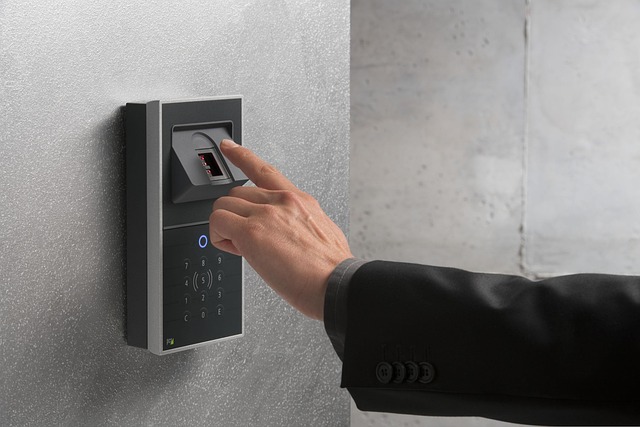
Garage Door Keypad Not Working? – Easy Fixes for Homeowners
When a garage door keypad fails to operate, start with the simplest possible explanations before assuming that the device needs replacement. Follow these troubleshooting steps to identify common issues and restore access without compromising your garage door’s security features.
- Double-Check Your Garage Door PIN – Entering the wrong access code can prevent the keypad from activating the opener. Press each number deliberately, making sure the buttons register correctly, and follow the manufacturer’s instructions for submitting the code. Some keypads require pressing an Enter or Up/Down button after entering the PIN. If you recently changed the code, confirm that the new PIN was saved successfully. Avoid repeatedly entering random combinations, especially if your model temporarily restricts access after unsuccessful attempts.
- Replace the Garage Door Keypad Batteries – Dead or weakening batteries are among the most common reasons a wireless garage door keypad stops responding. If the keypad lights fail to illuminate or appear unusually dim, open the battery compartment according to the manufacturer’s instructions and install fresh batteries of the correct type. Check the positive and negative terminals before replacing the cover, then test the keypad again. Extreme temperatures can also affect battery performance, so consider this possibility if the problem occurs during unusually hot or cold weather.
- Check Whether the Keypad Has Lost Its Programming – A wireless garage door keypad may stop communicating with the opener if its programming has been lost or its connection has become unreliable. Follow the model-specific instructions to reconnect the keypad using the opener’s Learn or Program button. The programming procedure varies by manufacturer and model, so consult the owner’s manual rather than relying on a generic sequence. If the keypad still fails after correct reprogramming, the issue may involve the keypad itself or the opener’s receiver.
- Check the Garage Door Opener’s Lock or Vacation Mode – Some garage door openers have a lock feature that disables wireless accessories, including keypads and remote controls. If the keypad suddenly stops working, inspect the wall-mounted control for a vacation-lock or similar setting. If this feature is enabled, follow the manufacturer’s instructions to deactivate it. Genie, for example, identifies its Sure-Lock feature as one possible reason wireless keypads and remotes fail to operate the door.
- Check the Signal Range and Possible Interference – If the garage door keypad works inconsistently, the wireless signal may be affected by interference or a problem with the opener’s receiver. Common sources can include certain LED or compact fluorescent light bulbs, electronic equipment, and other nearby radio-frequency devices. Test the keypad from its normal operating position and check whether the problem persists. If the signal remains unreliable, a technician can inspect the receiver and identify possible interference sources.
Common Garage Door Keypad Problems That Require Further Attention
If replacing the batteries and checking the PIN do not resolve the problem, another issue may be preventing the keypad from communicating with the garage door opener. Recognizing these additional causes can help homeowners determine the next appropriate step.
- Worn or Sticking Keypad Buttons – Repeated use and exposure to the elements can wear down the buttons or allow dirt and moisture to interfere with their operation. Clean the exterior gently according to the manufacturer’s recommendations, and avoid spraying liquids directly onto the keypad. Buttons that remain unresponsive may indicate internal damage or the need for replacement.
- Weather-Related Damage – Outdoor garage door keypads are exposed to rain, humidity, sunlight, and temperature changes. Moisture entering the housing or deteriorated seals can cause intermittent operation or electrical failure. If the keypad has visible water damage or corrosion, avoid dismantling it while wet and arrange appropriate repair or replacement.
- Opener Power or Receiver Problems – Sometimes the keypad is functioning correctly, but the garage door opener is not receiving or processing the signal. If the wall-mounted control and other remotes also fail, check whether the opener has power and look for obvious signs of a tripped circuit breaker. Persistent electrical problems or a faulty receiver should be evaluated by a qualified technician.
- An Outdated or Incompatible Keypad – Replacement keypads are not universally compatible with every garage door opener. If you recently installed a new device, verify that it supports your opener’s manufacturer, model, and radio-frequency or security system. Choosing a compatible accessory and following its programming instructions can prevent recurring connection problems.
For additional model-specific assistance, consult the manufacturer’s official support resources, troubleshooting and programming guidance.
How to Maintain Your Garage Door Keypad and Prevent Future Problems
Regular garage door keypad maintenance helps reduce unexpected access problems and keeps the device working reliably. Replace batteries according to the manufacturer’s recommendations, keep the keypad clean, and check that its cover and mounting remain secure. Protect the unit from unnecessary moisture and physical impacts, and avoid sharing your permanent access code with people who do not need it. If the keypad becomes unresponsive after a battery replacement, follow the correct reprogramming procedure for your particular model. Homeowners should also test the garage door opener independently to distinguish a keypad issue from a larger system malfunction. When repeated programming attempts fail or the keypad shows signs of internal damage, professional garage door service can help determine whether repair, replacement, or receiver troubleshooting is necessary.
In conclusion, a garage door keypad that stops working does not always require a replacement or professional repair. Checking the batteries, confirming the correct PIN, reviewing the opener’s lock settings, and following the proper programming instructions can resolve many common problems. When wireless interference, weather damage, or receiver faults are involved, further diagnosis may be necessary to restore reliable operation.
Written by Arizona Garage Doors, your local garage doors and gate technician in Phoenix Garage Doors, El Mirage Garage Doors, Sun City West Garage Doors, Fountain Hills Garage Doors, Mesa Garage Doors, Chandler Garage Doors, Gilbert Garage Doors, Tempe Garage Doors, Surprise Garage Doors, Goodyear Garage Doors, Glendale Garage Doors, Scottsdale Garage Doors, Peoria Garage Doors, Buckeye Garage Doors, Avondale Garage Doors, Queen Creek Garage Doors, Sun City Garage Doors, Anthem Garage Doors, New River Garage Doors, and Sun Lakes Garage Doors.